A network toolkit for AV engineers. Find every device on a network, bring back the ones nobody can reach, and keep the site details you need for the next visit.
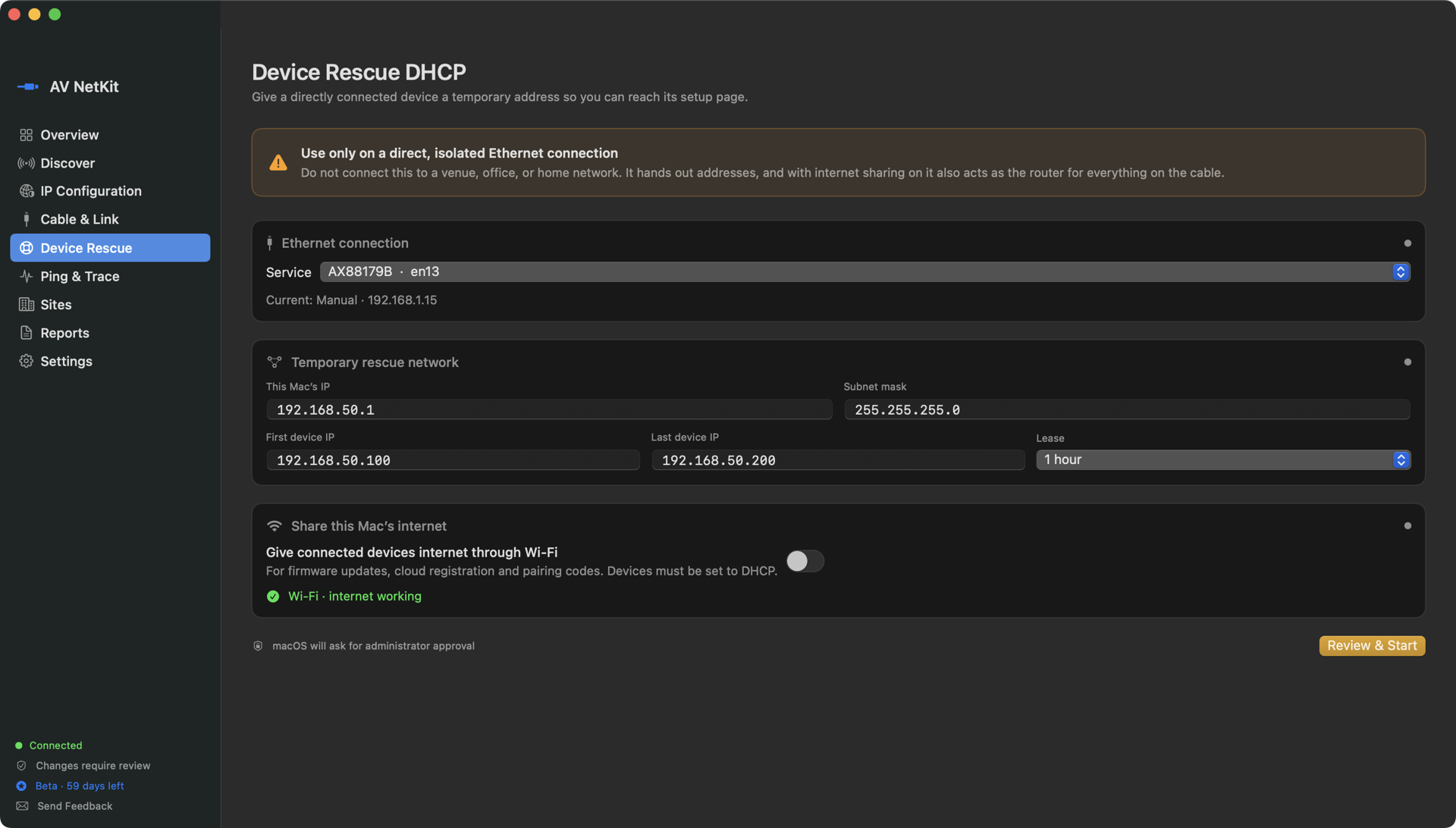
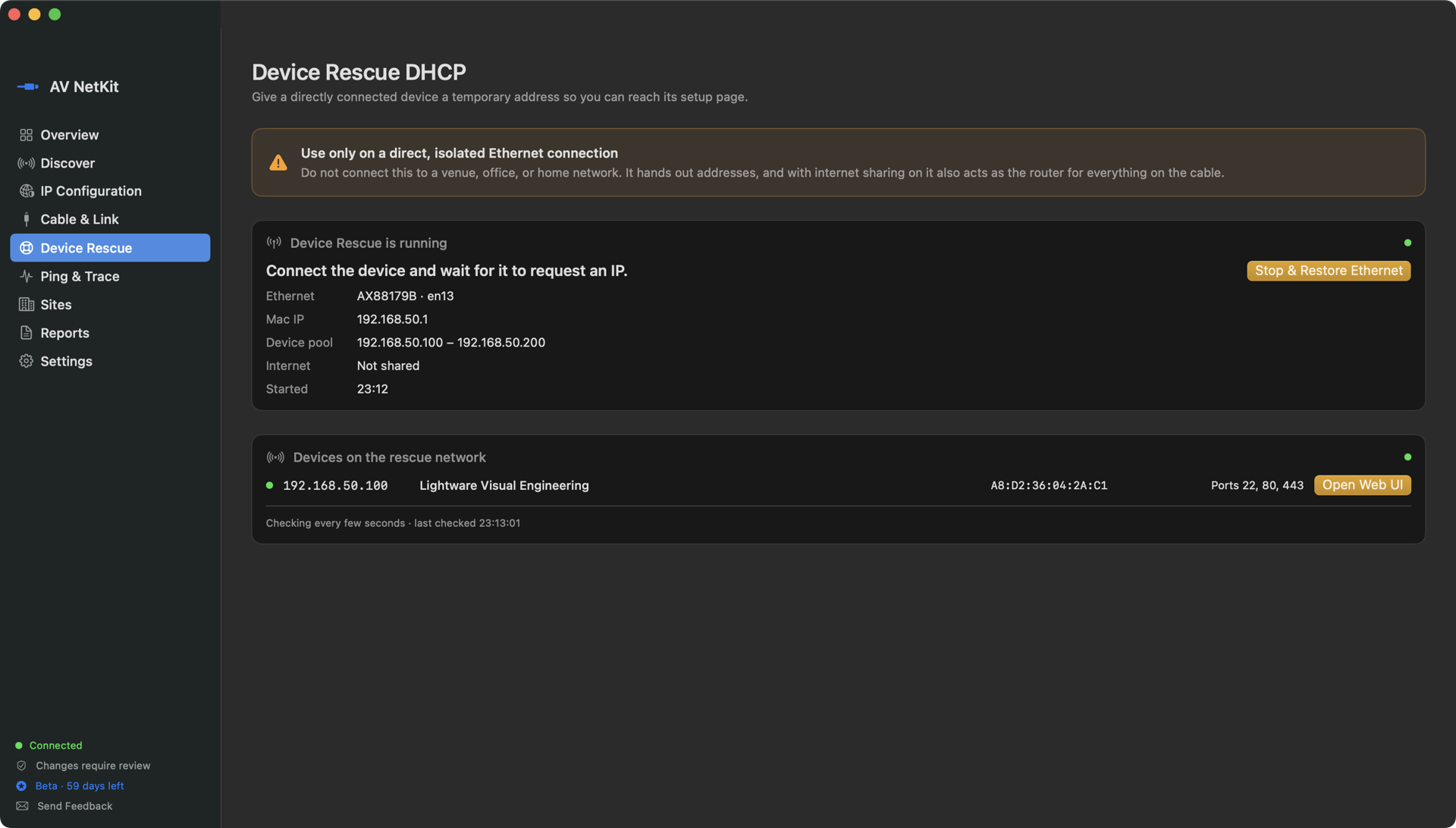
Actual AV NetKit screens · tested on a Lightware UCX stuck on a 169.254 address, reachable two seconds after starting
Scan once. Save the site. Return ready.
01 / CAPABILITIES
Built around the AV workflow.
Start with the network in front of you. Discover what is there, rescue what can't be reached, save useful context, and bring it back on the next visit.
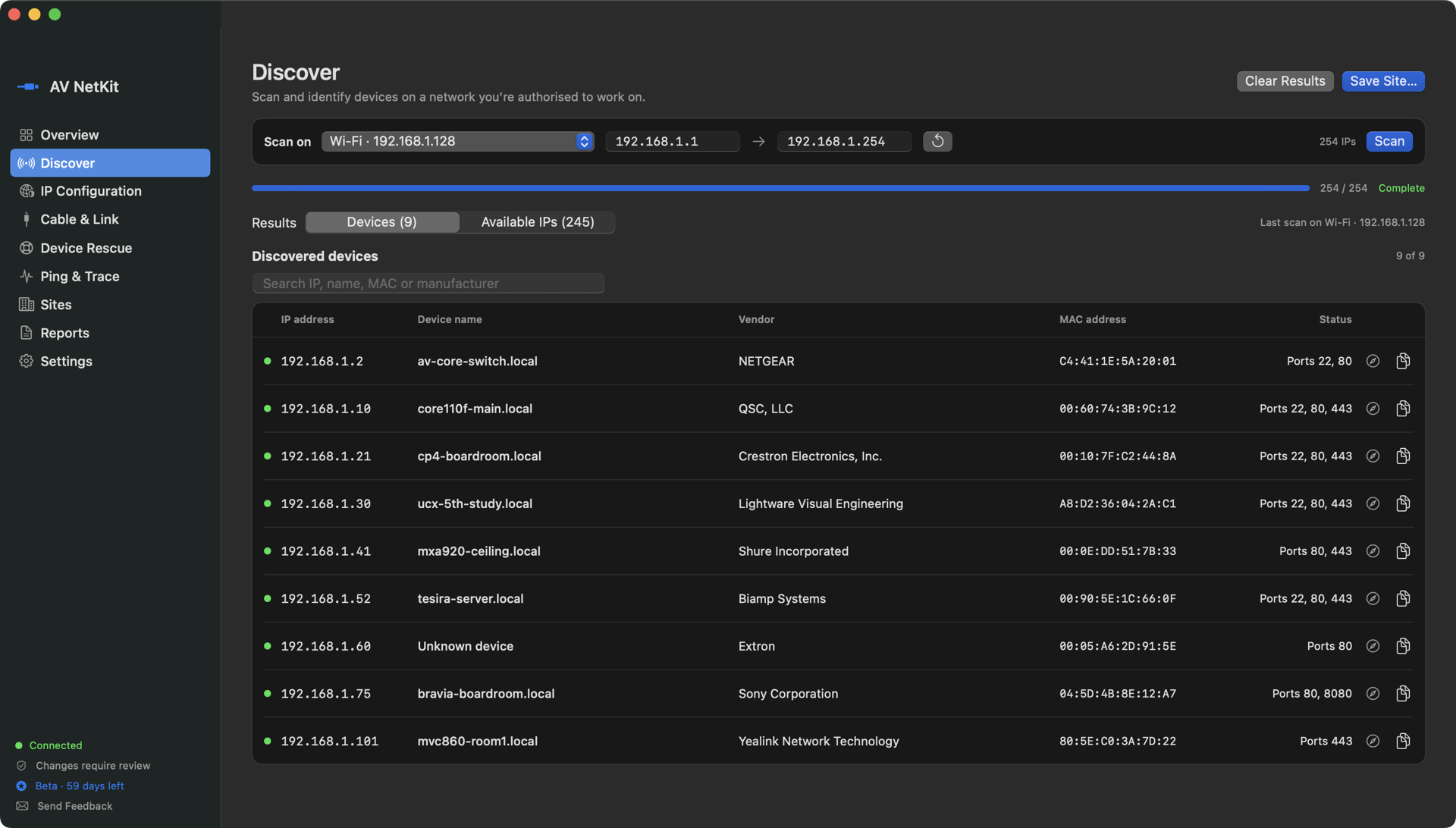
Choose an active interface and scan up to 1,024 addresses. See each device's name, manufacturer (from its MAC address, works offline), MAC and open ports, with one click to its web page. Duplicate IPs and conflicts with your own address are flagged, and likely free addresses are listed. Free addresses are a best guess: a sleeping device may not answer.
Beta 1 · field tested
DHCP on the cableOpen Web UIShare Wi-Fi internet
Rescue a device with no network.
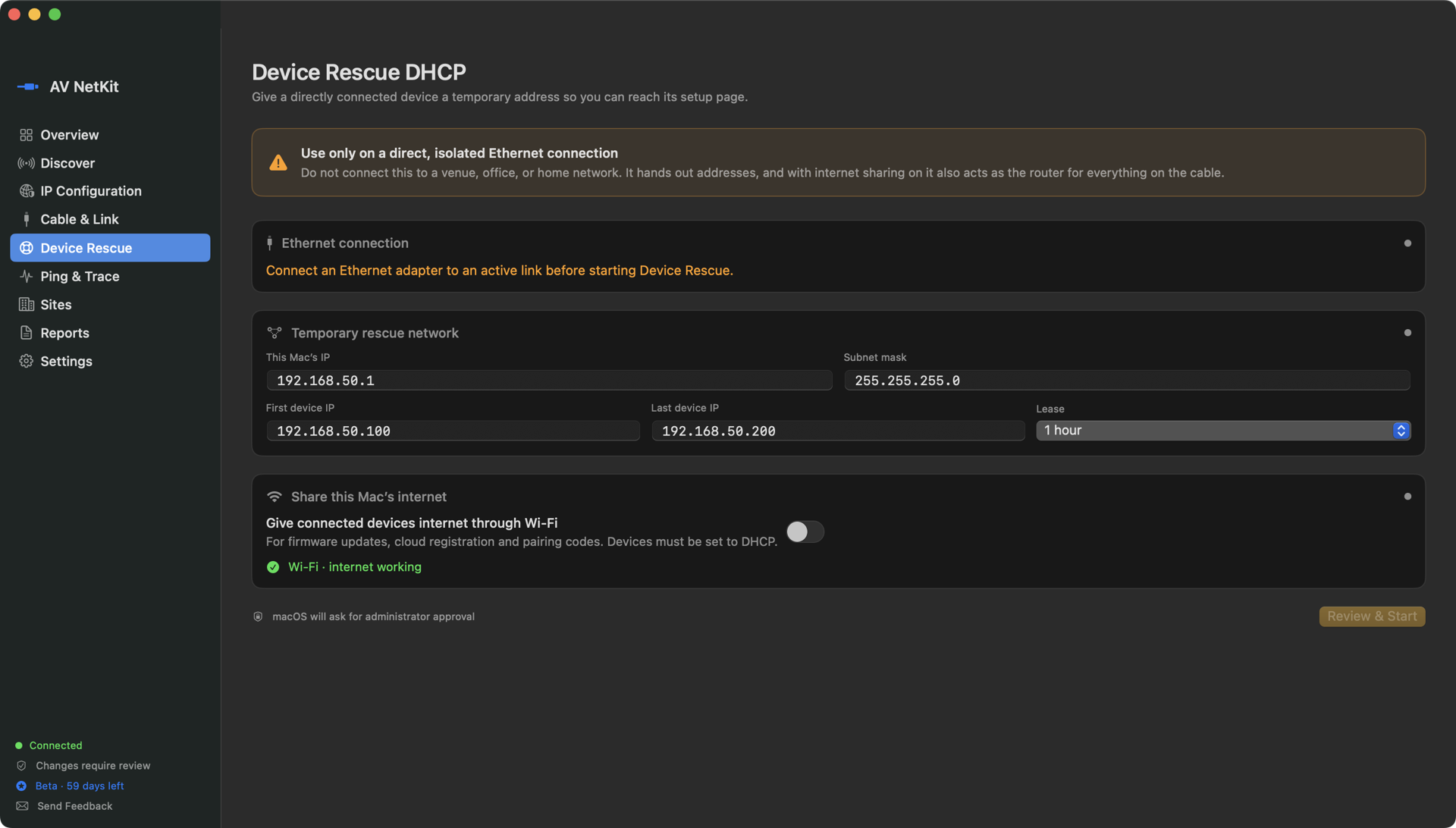
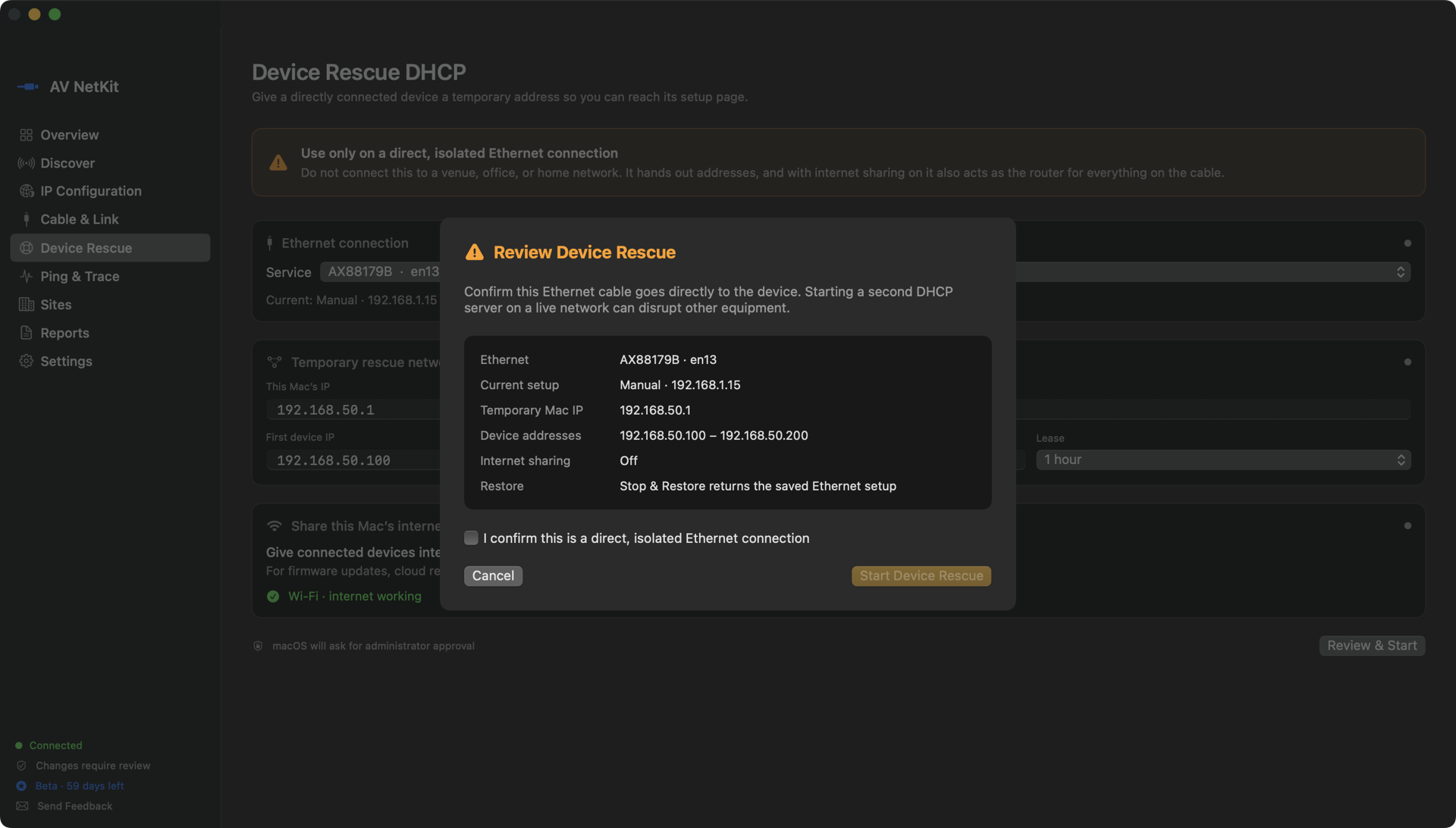
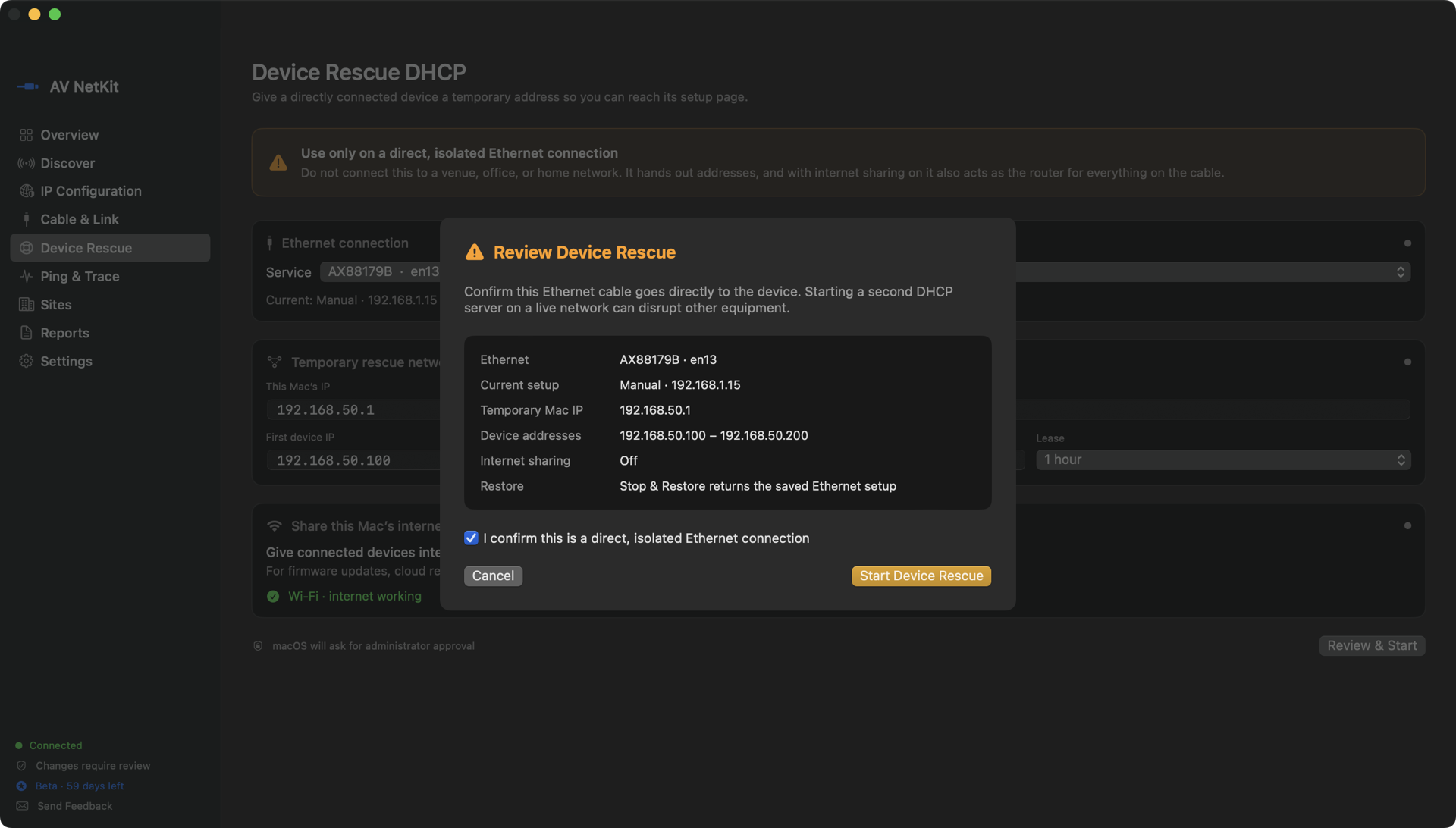
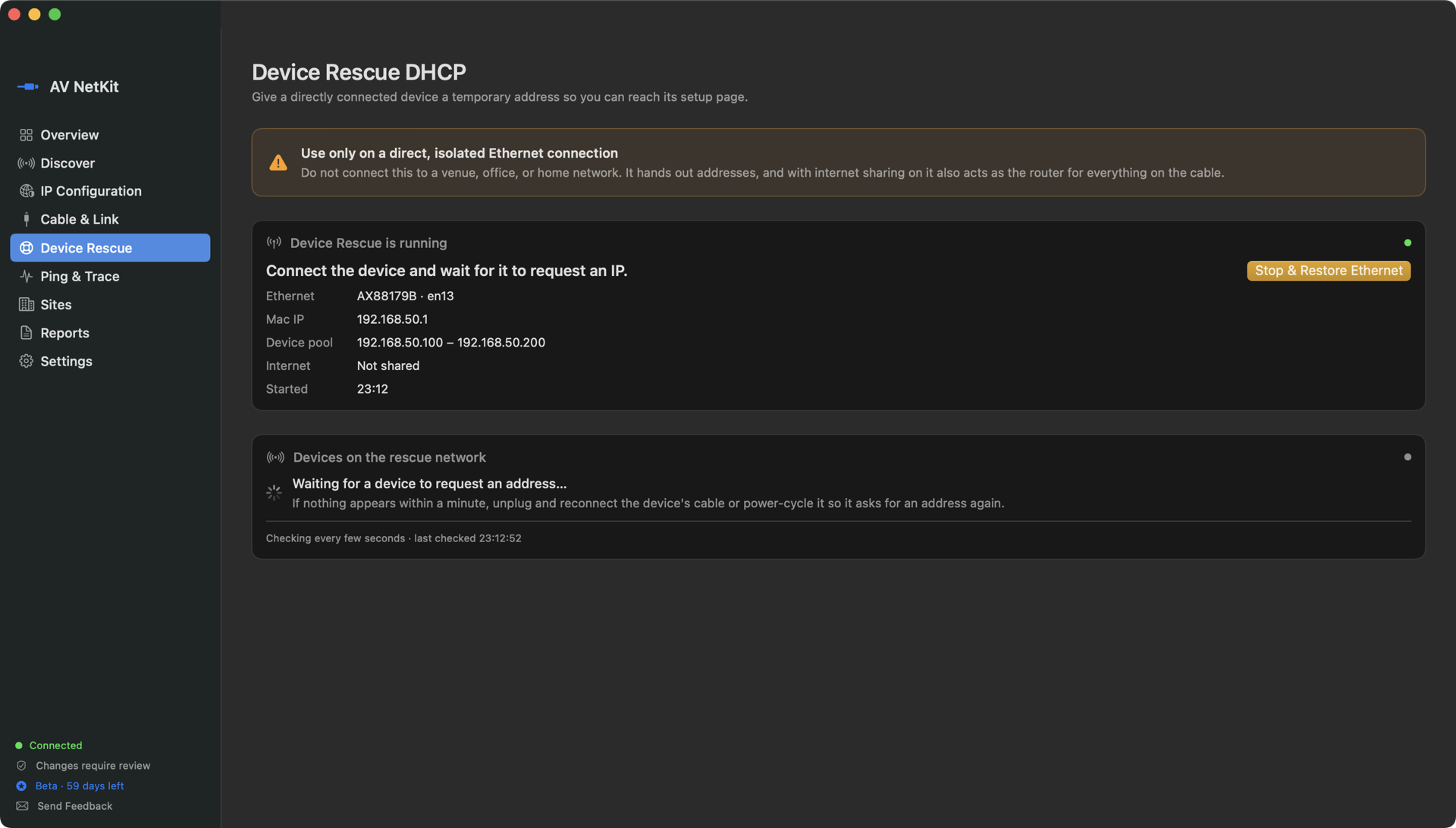
Plug straight into a device stuck on a 169.254 address and AV NetKit hands it an address, lists it with its manufacturer and opens its web page. Switch on internet sharing to give it your Wi-Fi's internet for firmware updates, cloud registration and time sync. Stop & Restore puts your Ethernet back as it was.
Beta 1 · core
Venue AStudio 2Rack room
Save the site, not just the scan.
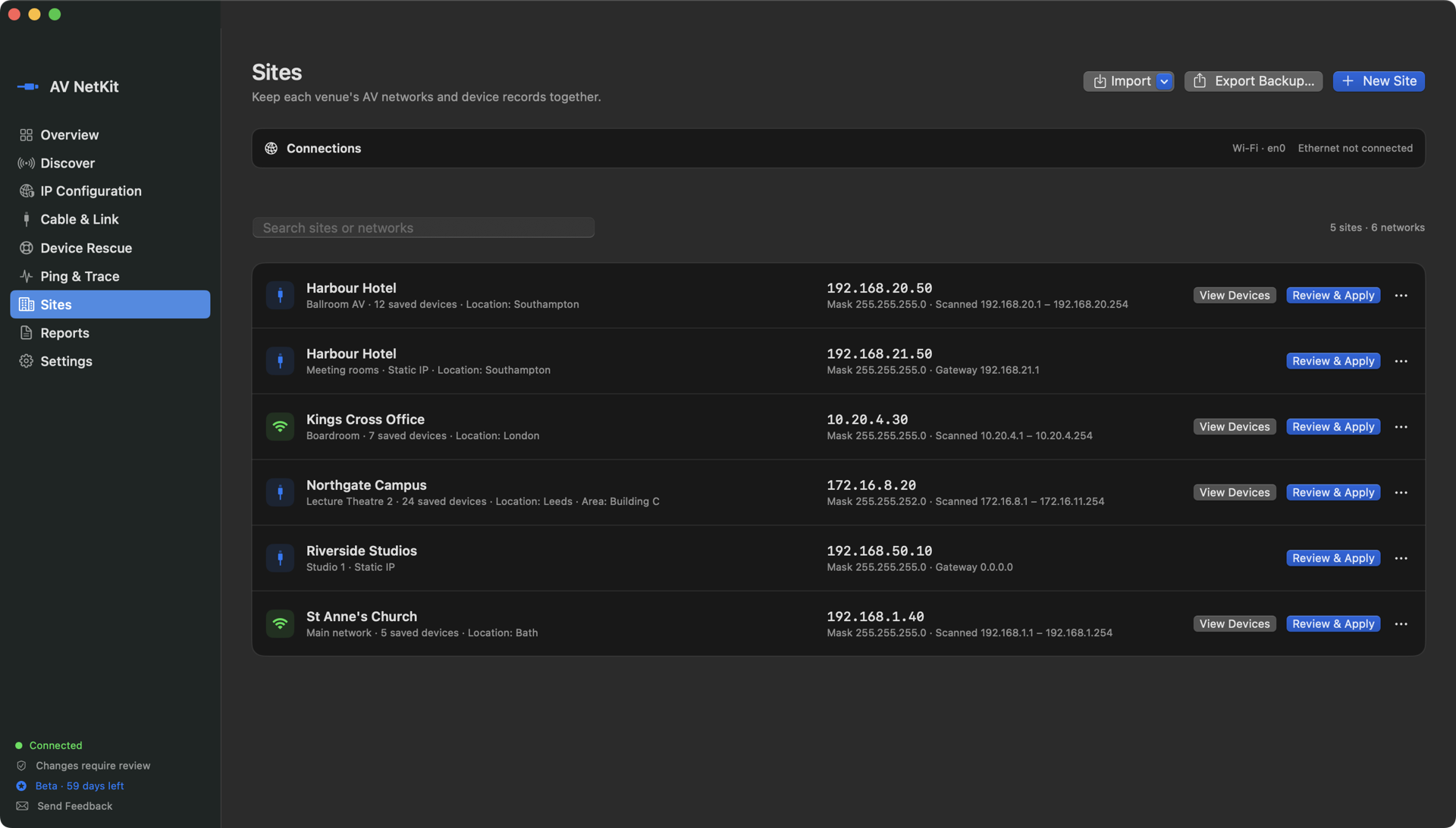
Keep each venue's networks: the IP your Mac needs there, scan ranges and the device list. Apply a site's IP in one review. Import sites from Excel or CSV, and back them up to a CSV file you can restore later.
Switch Wi-Fi or Ethernet between DHCP and a static IPv4 address with mask, gateway and DNS. Review the change first; the original settings are kept so one click puts them back.
Beta 1
Link up1 GbpsFull duplexErrors: 0
Check the cable link.
See the negotiated speed, duplex and live error counts on an Ethernet adapter. A 100 Mbps link on a gigabit run or climbing errors point to a cable or port. This is a link check, not a cable certifier or PoE meter.
Beta 1
Reply 12 · 0.9 msPacket loss 0%Trace · 3 hops
Ping, trace and report.
Continuous or counted ping with min, average, max and packet loss, plus trace route. Copy a plain-text field summary into your handover note.
02 / SAFETY
A field tool should never become the fault.
AV NetKit separates looking from changing. Nothing on your Mac's network changes without a review screen first, and macOS then asks for administrator approval.
!
Device Rescue is direct-cable only.
Its temporary DHCP server, and internet sharing when switched on, are for a cable straight to one device. On a live venue, office or home network it would act as a second DHCP server, so the app warns and asks you to confirm.
01
Inspect before changing
Scanning, connection details, ping and link checks never change your network settings.
02
Review every change
See the adapter, address, mask, gateway and DNS before a static IP or DHCP change is applied.
03
Put it back
The original settings are kept after an IP change, and Stop & Restore undoes Device Rescue and internet sharing.
04
Your data stays with you
Scans and sites stay on your Mac and are never sent to us. Export what you need, then clear device lists or delete a site.
03 / BETA 1
What's in beta 1.
Beta 1 is out with testers on macOS. Everything below is in the app today. Feedback from the field decides what comes next.
Beta 1 · in field testingMACOS
01IP scanning with device names, manufacturers, open ports, duplicate-IP checks and likely free addresses
02Device Rescue: a temporary DHCP server on a direct cable, a live device list and Open Web UI
03Wi-Fi internet sharing for rescued devices (firmware updates, pairing codes, time sync)
04Sites with saved IPs, scans and devices; Excel/CSV import and CSV backups
05DHCP and static IP changes with review and restore
06Ethernet link checks: speed, duplex and error counters
07Ping, trace route, field reports and an offline manufacturer database
BETA 1
Built for AV engineers who arrive before the audience.
Beta 1 is a free download for AV and IT engineers. Every feature is unlocked for 60 days; after that Discover, Ping & Trace, Cable & Link and up to 3 sites stay free.
RequirementsmacOS 14 Sonoma or later · Apple silicon and Intel Macs